

This tutorial teaches you how to convert .rm files into mp3s. Read on to find out about the software required for this task, where to get it and how to use it.
Software/Tool Required:
Switch Sound File Conversion Software
Switch is a free audio coversion tool. It supports conversion of many format into one another, but what we need to know is that it CAN convert .rm to mp3. There is a Plus version that you can upgrade to for $US19.40 which will unlock some advanced features. You can read more about it at their website. For the purpose of this tutorial the free version is perfect and there is no need for an upgrade.
NOTE: The free version will have all the advanced features for 14 days from the day you install the software. After that trial period, the advanced features will be deactivated and every once in a while you will be asked to upgrade. Don't worry about that, just click 'NO' or 'Cancel' everytime you are asked to upgrade and you will be fine.
Download Switch v1.05 (link 1)Switch is a free audio coversion tool. It supports conversion of many format into one another, but what we need to know is that it CAN convert .rm to mp3. There is a Plus version that you can upgrade to for $US19.40 which will unlock some advanced features. You can read more about it at their website. For the purpose of this tutorial the free version is perfect and there is no need for an upgrade.
NOTE: The free version will have all the advanced features for 14 days from the day you install the software. After that trial period, the advanced features will be deactivated and every once in a while you will be asked to upgrade. Don't worry about that, just click 'NO' or 'Cancel' everytime you are asked to upgrade and you will be fine.
Download Switch v1.05 (link 2)
Use the link above to download Switch. Run the downloaded file by double-clicking and simply follow the on-screen instructions to install it on your hard drive.
How to use Switch:
You can use Switch to convert files one at a time, or convert multiple files at once. Here are the steps to convert one/multiple files:
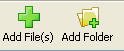
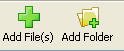
- First add files to the queue by clicking either the 'Add File(s)' or 'Add Folder' button (see image below). They both serve the same purpose, with the difference that the first allows you to choose the files you want and the second enables you to add all the contents of a folder to the queue.
- Now that you have added your files, you need to choose the Output Folder, the folder where Switch will save the converted files. Click the button labelled as ' ... ' (see image below) and choose your desired folder.

- Choose .mp3 (or any format you prefer) as the Output Format from the dropdown menu as shown in the image below.
- Finally, click the 'Convert' button at the top right corner to get the job done.
When you click Convert, a little window (like the one below) will pop up, which shows you what is being done. You can cancel the process by clicking the 'Cancel' button (Dah!). The window will disappear once files are converted.


There are many other commercial softwares that can do this task, but some may not be comfortable with the price tag they come with.
I hope you find this tutorial (my first one ever) useful. If I am being ambiguous with my explanation here, feel free to comment or ask questions below. Now that the issue of file format is hopefully resolved, let's get back to downloading some cool music.
COURTSEY: RABBANI..

